noctalia-themes: dress your whole desktop in one click
A colour scheme changes the paint. I wanted to change the whole room: wallpapers, bar, dock, fonts, a clock, a music player with cover art, even the login screen. So I built noctalia-themes, a small GTK app that dresses a Noctalia v5 desktop in one click and undresses it just as fast.
Before any change it takes a timestamped backup. You also get an "Undo" toast, and "Remove the theme" brings your own desktop back, including the settings you changed while the theme was on. Trying a theme costs nothing.
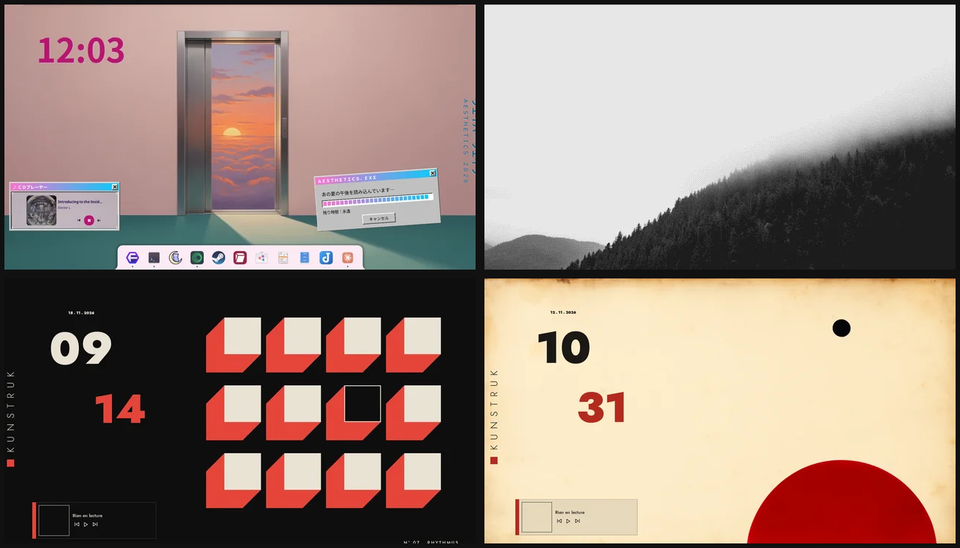
Four themes ship with version 0.1.4.
Vaporwave
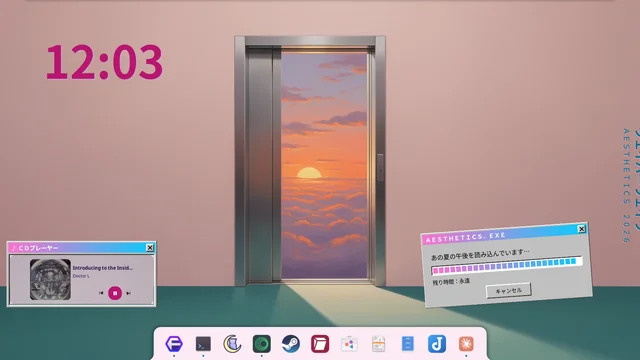
Pink, cyan and violet neon over deserted, painted dreamscapes. A fake Win95 loading window sits at 99% forever, and the CD player looks straight out of 1998.
Brume
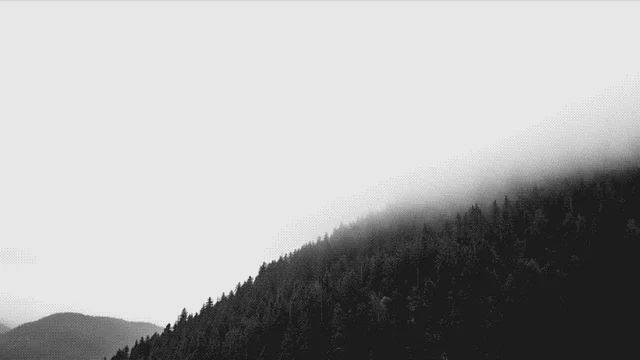
Grey fog in fine pixel art. Six shades of quiet and a thin bar on top: the theme for when the desktop should go away.
Kunstruk
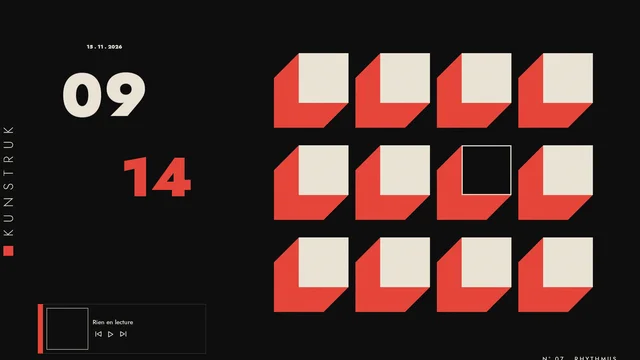
Bauhaus in ink black and red: point, line and plane. A giant typographic clock carries the weight, and the bar sits on the bottom edge.
Kunstruk Papier
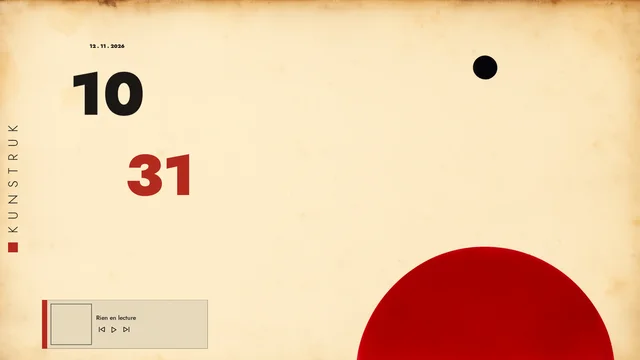
The same construction on old yellowed paper, with a round dock at the top.
Make your own
Set your desktop up the way you like and choose "Create a theme from my desktop". You can export any theme as a .zip and import one by drag and drop. Imported themes are limited to looks: anything that would run a program is refused.
Get it
Per-user install, no sudo, GPL-3.0-or-later. Tested on Noctalia 5.3.0 with niri.
- Download: latest release on GitHub
- If a theme brightens your desktop: buy me a coffee on Ko-fi ☕
Member discussion